Genustruct Building Generator
Genustruct — Procedural Building & City Generator for Unity
Build a detailed house, a downtown block, or an entire city — right inside the Unity Editor. Then change anything.
This is the free playable demo. You're driving a live build of the generator: shape buildings, adjust them, and watch a city come together. No install, no signup — it runs right here in your browser.
👉 What you're playing
The demo contains five playable scenes. Press F9 (or the Demos button in the corner) at any time to switch between them.
⭐ Building Editor — start here. This is the heart of the tool: the full panel-based editor running live. Pick a preset, drag sliders, and watch the building rebuild in front of you — walls, windows, roofs, trim, materials, everything is editable and nothing is baked.
The other four scenes show what the generator can do:
- Hero Explore — walk through a procedurally generated manor in first person.
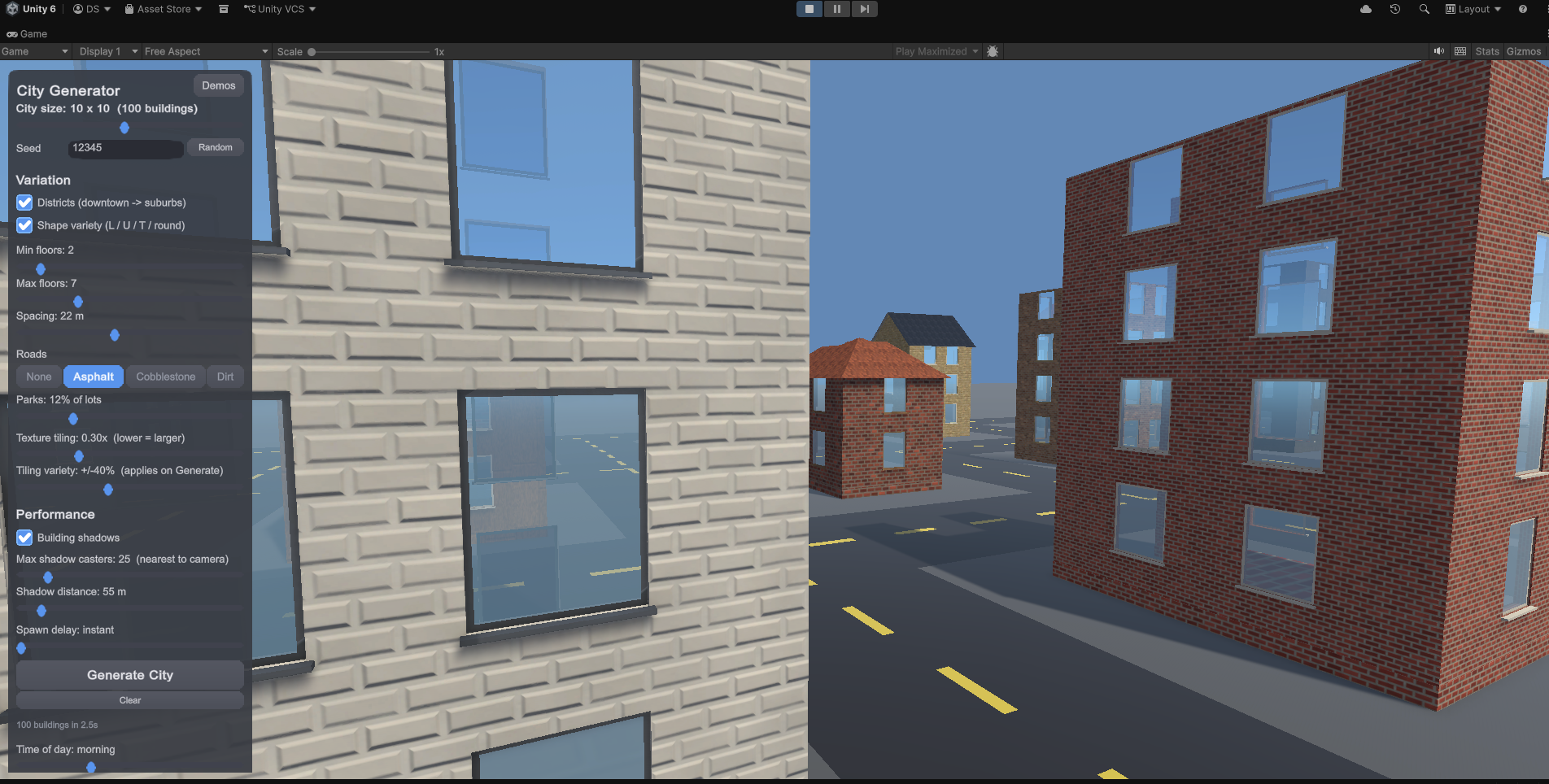
- City — fly over a generated city and reshape it as it fills in.
- SimBuilder — a mini city-builder: place buildings one at a time and grow a town.
- HouseDecor — build a small house, furnish it, then walk through it.
Everything you see is created procedurally, from the wall panels and windows down to the roofs and trim.
🎮 Controls
F9 (or the Demos button in the corner) opens the demo picker from anywhere.
| ⭐ Building Editor | Point-and-click panels · drag orbits the camera Shift+click — select a window, door, or building L — frame the selection · F8 — hide/show the UI |
| Hero Explore | WASD move · Shift run · Space jump · mouse look R — respawn · Esc — free the cursor |
| City | WASD fly · hold right mouse to look · E/Q up/down · Shift sprint Click a building — re-roll it · Shift+click — bulldoze it Side panel + Generate — rebuild the whole city |
| SimBuilder | 1–9 pick a building · click to place, click a finished one to upgrade R rotate · F footprint · V re-roll look · B bulldoze · K earthquake… sorry WASD pan · Q/E rotate · wheel zooms |
| HouseDecor | Build — drag rooms and corners · click a wall for a doorway Decorate — drag furniture in 2D or 3D · R rotate · Del remove Explore — WASD fly · hold right mouse to look |
🏗️ What Genustruct is
Genustruct is an editor tool for Unity. Instead of modeling every wall, window, and roofline by hand, you generate detailed, modular buildings in minutes — and keep full control over every piece.
- Buildings, down to the detail. Walls, windows, doors, roofs, gutters, trim, materials — modular and editable, not a fixed kit.
- Scales from one hero building to a whole city. Design a single showpiece, or populate blocks and districts.
- Beginner-friendly, power-user-deep. Sensible defaults get you a great building instantly; deep controls are there when you want them.
- Non-destructive editing. Tweak a value, watch it rebuild live. Nothing is baked until you want it to be.
- Built on URP. Layered materials, palettes, weathering, and realism features you can dial in, turn off, or push to hero quality.
- Yours to use. Export and drop the results into your own project.
✅ Requirements
- Full tool: Unity 6 (6000.0) or newer, URP. Developed and tested on Unity 6.3 LTS.
- This demo: just your browser — no Unity install needed.
🎯 This is an early preview — and I want your feedback
Genustruct is in active development ahead of its full release on the Unity Asset Store. This demo is how I'm gathering real feedback before launch.
Play it, then tell me what you think — every week until release I draw winners from everyone who submitted useful feedback, and winners get a free copy of the full tool. You can enter again each week for more chances. Honest reactions, "I got stuck here," and "I wish it did X" are exactly what I'm after.
📝 How to give feedback
→ Fill out the feedback form — takes about 3 minutes. Include your email so you're entered in that week's draw.
💬 Come hang out
- Website: genustruct.com
- Contact: contact@genustruct.com
- Discord: discord.gg/ChHNGPBJ4 — devlogs, help, and show off what you build
Thanks for trying Genustruct this early. It genuinely shapes where the tool goes.